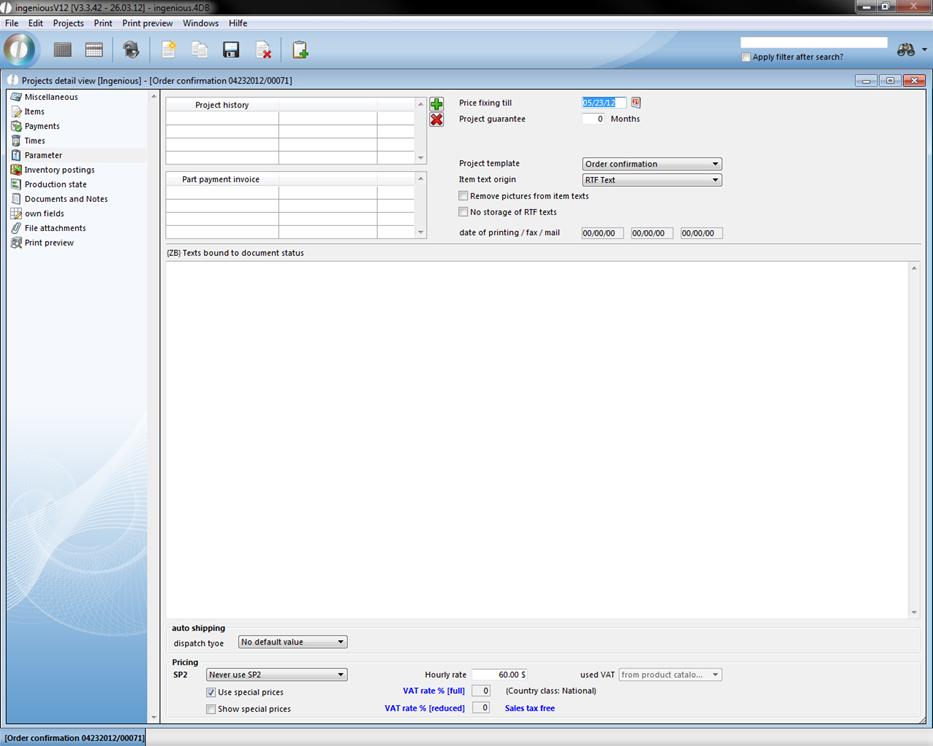
Individual project parameters
Project template
In the “Project template” options field, you have the possibility to select one of the standard templates that vary from the project templates from the text management module.
Item text origin
The field “Item text origin” has two options: “ASCII text” and “RTF text”. According to the selected text type, “Items of the individual items” of the preset type are released and provided for editing. In the program settings, you can determine in the “Project documents” area, which text type should automatically be specified.
Project history
Are you looking for the contract with the invoice? In the invoice parameters, under “Project history” you find all documents from which this has arisen. For every project, the procedure is documented here. You can directly view all documents listed here from this position. In order to take the fast way to a previous project, double click on the respective project in the document history.
Partial payment invoices
If available, all partial payment invoices are listed here according to the respective project. This way you have an overview which residual value the contract still has.
Pricing
If you would like to grant a special price for a project to a customer, you get to your presetting here. With the pop-up menu, you choose whether the “SP 1” or “SP 2” is used for the project. You select the special prices by clicking in the small box. In addition, in the pricing, the value added tax as well as the hourly rate are entered. If nothing changes in the settings, the data are transferred as they are when creating a contact. In addition, the controlled price and the warranty are put in the parameters and the document templates are set up. The field “Project-status dependent contacts - Action text” takes the notes from the contact for the individual project statistics. If you have given a text for quotations for example, this appears every time if you provide a new quotation. In the print templates, this text appears on the quotation. You can also use the field action text for a free text that is used only for the individual project for example.